
Old Photo Restorer — AI Photo Restoration & 4K Upscaler
Repair scratches, dust, creases, and fading on scanned family prints and upscale to 4K (2× or 4×) in one studio pass.
- Default Mode: Old Photo Restore & 4K Upscale
- Repairs: Scratches, Dust, Creases & Fade
- Scale: 2× (2 Cr) / 4× (4 Cr)
- Updated: 2026-11-27
Drop image here, paste, or browse
JPG, PNG, WebP · Oversized photos auto-fit to 2048 px
Sign in with Google & credits required. Uploads auto-delete from site storage in 24h.


Archival Photo Restoration & 4K Upscaling Without Plastic Faces
Clean hairline emulsion scratches, dust specks, and yellowed highlights while upscaling vintage scans to crisp 4K print resolution.
- Honors authentic silver-gelatin monochrome contrast
- Non-expiring $7.90 & $19.90 packs—no forced subscription
- 24-hour automatic source scan deletion on site storage
Interactive photo restoration AI preview (960×720). Upload your scanned print above to run live restoration.
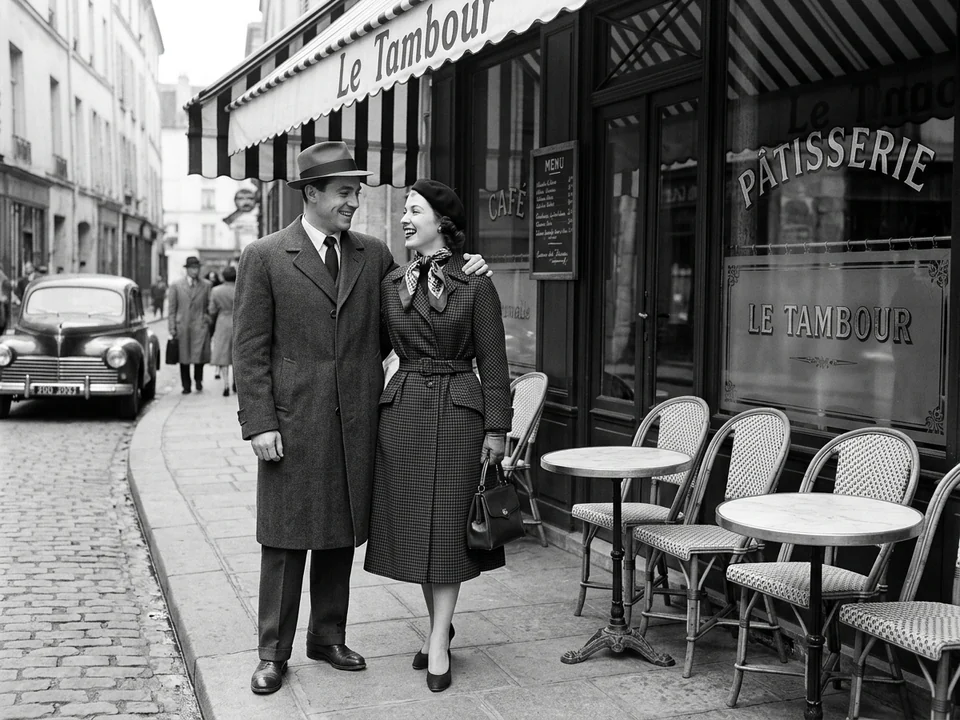
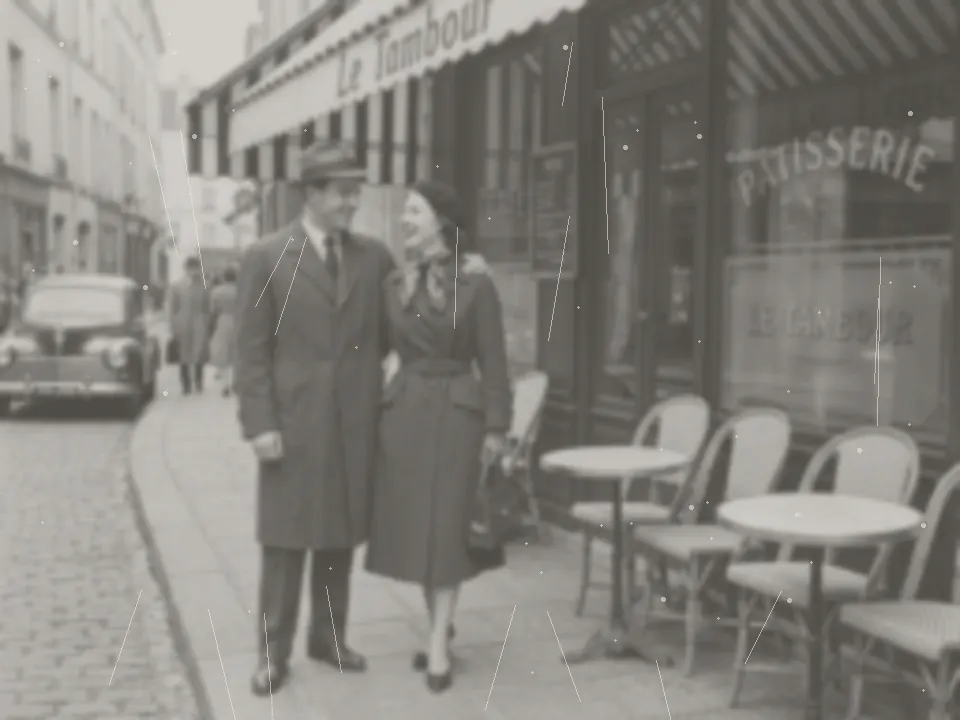
Restoring and Upscaling Old Photos to 4K
Scanned family albums, historical street prints, and shoebox snapshots face a problem that ordinary sharpeners make worse: feeding a scratched or dusty scan into a plain upscaler magnifies every white dust speck and crease. Pre-selected above, Old Photo Restore is the archival AI photo restorer inside our 4K AI Upscaler, repairing surface damage and scaling your print 2× or 4× to crisp 4K clarity in one workflow.
Photo Restoration + 4K Upscaling in One Studio Pass
In traditional desktop retouching, old photo restoration and 4K upscaling are two separate jobs—first cloning out emulsion scratches and dust, then running a resolution scaler for framing. Our photo restoration AI combines both steps in a single pass inside 4K AI Upscaler: it removes hairline scratches, dust spots, minor creases, and yellow age cast while upscaling resolution for print, and keeps monochrome silver-gelatin photos naturally black and white rather than forcing artificial colorization.
Best Scanning & Upload Practices for Vintage Prints
- Scan Flat or Shoot Without Glare: Capture a 600 DPI flatbed scan or glare-free phone photo. Files over 2048 px on the long edge or 4.5 MB are resized automatically in your browser before upload.
- Start with Strict Fidelity: Keep Strict fidelity active so faces, hats, period clothing weaves, and street storefronts remain faithful to the original print. Switch to Balanced only on heavily blotched scans.
- Inspect Details with the 1.85× Loupe: Severely torn-away faces or unreadable tiny background lettering cannot be recovered from missing pixels—check details in the Before/After viewer before downloading your 4K PNG.
Non-Expiring Packs for Family Archives & 24h Privacy
Restoring a family album does not require an ongoing software subscription:
- Starter Pack ($7.90 · 60 Credits) restores and upscales up to 30 photos at 2× or 15 archival prints at 4×, and credits never expire while your account remains open.
- Creator Pack ($19.90 · 200 Credits) covers up to 100 photos at 2× (Pricing).
- Privacy & Refunds: Google sign-in is required. Uploaded scans delete automatically from
4kaiupscaler.comstorage within 24 hours, and unused packs qualify for a 7-day full refund (Refund Policy). Also explore 4K AI Portrait Upscaler and 3D Render Upscaler.
Old Photo Restorer & 4K Upscaler FAQ
What can an AI photo restorer repair that a 4K upscaler cannot?
A standard 4K upscaler sharpens every scratch, dust speck, and paper crease along with the subject. Our AI photo restorer removes physical surface scratches, dust, creases, and yellow fading while upscaling the photograph to 2× or 4K in one pass.
Does Old Photo Restore force color onto black-and-white photos?
No. Old Photo Restore repairs surface scratches, dust, creases, and faded contrast while respecting original monochrome or vintage color tones rather than forcing artificial colorization.
Do I have to buy a monthly subscription to restore old family photos?
Starter Pack ($7.90 for 60 non-expiring credits) restores and upscales up to 30 photos at 2× or 15 photos at 4×. Pro subscriptions ($9.90/mo) are also available for ongoing archival work.
What kind of photo damage can and cannot be repaired?
It repairs hairline scratches, dust specks, minor creases, and faded contrast well, while preserving intact faces. Completely torn-away faces or unreadable blurred text cannot be reconstructed accurately from missing information.
Are family archive scans kept private?
Yes. Uploaded scans are automatically deleted from 4kaiupscaler.com storage within 24 hours, and we never use family photographs to train AI models.